Option + Shift + Backslash
Option + Shift + Backslash: »
Option + Backslash: «
I just had to share this for any other Mac users that care. I’d been opening up Special Characters in the Edit menu for years until I finally stumbled across this keyboard combination, which is odd because I’d swear I checked Key Caps for any possible combination long ago. At any rate, there you have it. I use these guys for various things pretty often so it’s nice to have an easy way to make them.
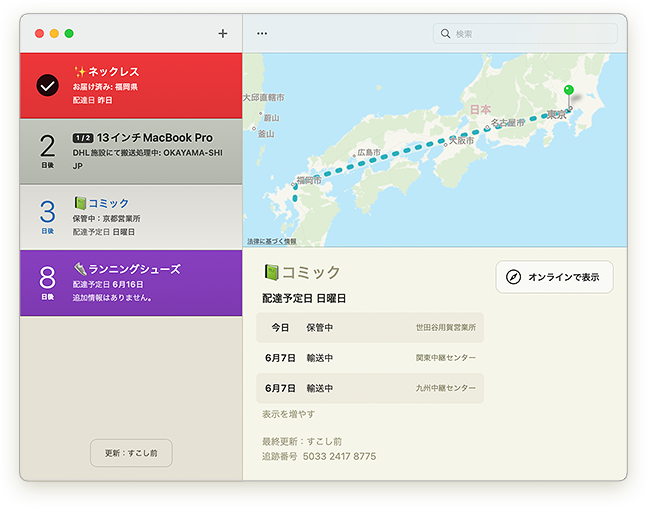
Delivery Status for iPhone

With all the talk about iPhone apps right now, I figure it’s time to make an official announcement. I can’t share a lot of details at the moment, but I am working on a version of Delivery Status for the iPhone (and iPod touch), and I hope to make it available in the next few months. I plan to support most of the services that are available in the widget, with the exception of Amazon and Google Checkout. (Hopefully I can find a way to get those working in a future version.)
What features do you want to see in Delivery Status for the iPhone? Let me know in the comments below!
Update: Thanks everyone for your interest! The app is coming along well.
Things for iPhone
Things for Mac is an app I’ve had my eye on for a while. It’s a “Getting Things Done” or “GTD” app which is a concept I’ve not been too fond of. Every time I’ve tried to make sense of this organizational system, it just seems fussy and overcomplicated with too many rules. I just want to lowercase get things done, in my own way. Things intrigued me though, with an interface that’s simple, attractive, and kind of fun, honestly. The big blue inbox with the giant check mark really does it for me.
I never really used the Mac app though, aside from tinkering with it. But when I downloaded Things for iPhone I put it to use. For the first day or so I didn’t quite get how to use it, and didn’t bother to read up on it. But the next day it just clicked, it made perfect sense, and I realized it was exactly what I’ve been looking for.
You make a new to do item and file it wherever you like… Put it in the inbox to deal with it later, mark it with a star if it’s something you want to do today, put it under “Someday”, or give it a future date. You can also create projects, with multiple to do items filed under them. Then on any given day you can just tap “Today” and see what needs to be done. If you still have time to spare you can look at what’s next, or what you’ve filed away for someday. I really like this because it lets me focus on the things I need to do now, instead of just having a huge list that includes everything I’ll ever need to do, ever. It makes my life less stressful and more organized.
The biggest problem is the lack of syncing with the Mac app. The developers have made it clear this is a top priority so hopefully it will be here soon. But for anyone already relying on the Mac app this will likely be a major drawback right now. I also find the main screen a little odd… The Logbook doesn’t quite fit on the screen, but with a little tightening up it could fit with no scrolling. I’ve also had some graphical glitches (like misplaced text) come up, but nothing significant.
If you’re trying to be more organized, get some things done, or you’re just looking for a better system than what you have now, I think this one is definitely worth a look. (They have a nice deal for their Mac app by the way—just sign up for their newsletter now and you’ll get 20% off when it’s released.)
« NEWER | 1 | 2 | 3 | 4 | 5 | 6 | 7 | 8 | 9 | 10 | 11 | OLDER »
What I’m Hearing
Let's Kill Saturday Night
by Silkworm
What I’m Watching
What I’m Reading
- Sync Services without Core Data
- Will Wright doesn't blush at 'Sporn'
- Bambi brings vengeance to Wrath of the Lich King
- iPhone Hacks: refocusing your camera
- Virtual mirror destroys all the fun you have trying on outfits
- Wright opens his mouth a little
- Rottweiler fights dog to save boy
- Fuck the VCs
View more
Mac OS X
Delivery Status touch icon Above you can see how the Delivery Status icon progressed from sketch to finished…
Smart Widget Installer 1.1 beta with Tiger compatibility A lot of Tiger users have had problems with my Smart Widget Installer. I’ve become much…
Reviews I’ve decided to add a new section to my journal: reviews. As a designer I spend a lot of…